The Roku Channel
Roku, Inc. & its affiliatesEntertainment
4.1297.00 Reviews
- Version
- Varies With Device
- Installs
- 5.00M
- Age Rating
- Teen
Screenshots
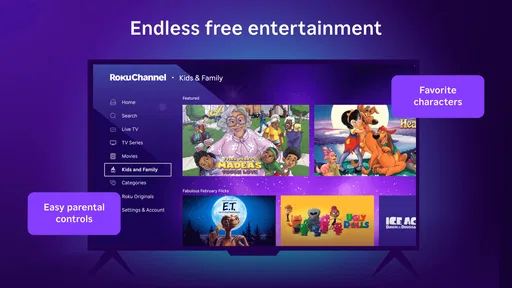
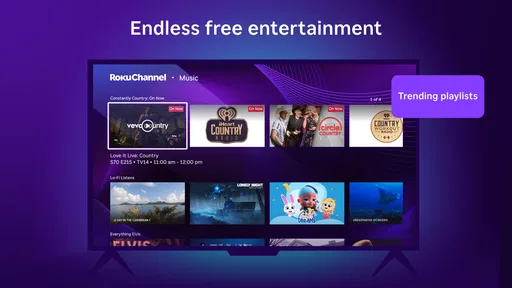
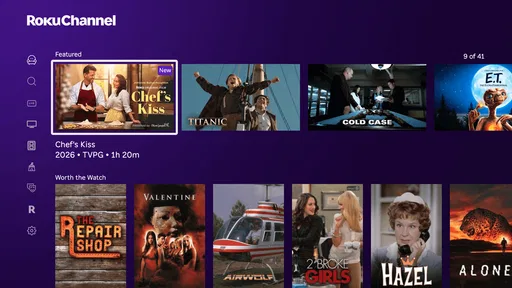
Our Review of The Roku Channel
 Analysis by Appyee
Hey there, fellow streamers! If you're anything like me, you've probably found yourself buried under a pile of streaming subscriptions, wondering if there's a more wallet-friendly way to catch some great content. Well, let me introduce you to The Roku Channel—a free entertainment app from Roku, Inc. and its affiliates that gives me another place to look when I want something to watch without adding another subscription.
I find it most useful as a companion to paid services, not a replacement for every one of them. It brings together live TV, films, series, Originals, sports and kids’ entertainment, so there is a reasonable chance of finding something for a casual evening. But free viewing has trade-offs, and it helps to know what to expect before settling in.
Where people can get stuck
The first surprise for some viewers is that an app being free does not mean it works exactly like a paid on-demand service. The experience includes advertising, and live channels are organized around a channel-style flow rather than a promise that every specific show will be available whenever you want it. If I have a particular title in mind, I check whether it is available before planning the evening around it.
That distinction matters when choosing between this and a subscription platform. Paid services are usually the more natural fit when I want a particular series, a tightly curated watchlist, or a viewing experience built around a specific catalog. The Roku Channel works better when I am open to browsing, want some live programming, or would rather sample free entertainment than take on another recurring bill.
Setup checks before pressing play
You do not need a Roku device to use the app, which makes it easier to try on a compatible phone, tablet, or smart TV. It is a free entertainment app, rated Teen, and its current version is 2.0.36; it supports Android 7.0 and later. The Roku Channel has a 4.0 average from around 3,200 ratings, and more than a million installs. Those figures suggest that it has a sizable audience, though my decision would still come down to whether its mix suits my habits.
If playback or sign-in is not going smoothly, I start with ordinary checks rather than assuming the service itself is broken: confirm the device has a working internet connection, close and reopen the app, and make sure the app is up to date. If I am switching between a TV and a phone, I also check that I am using the account I intend to use. These are simple steps, but they can separate a device or connection hiccup from a problem with the app.
A useful small habit is to decide whether I want live viewing or a particular on-demand title before browsing. That narrows the path and saves me from drifting through channel listings when what I really want is a movie. If I am choosing something for a group, I browse before everyone sits down; free catalogs can be broad, but finding one exact fit can take longer than picking a familiar paid-service favorite.
Recovering a viewing session
When a stream stalls, I check whether other apps on the same device are connecting normally. If they are not, I deal with the connection first; if they are, I restart The Roku Channel and try again. On a mobile device, moving to a stronger Wi-Fi connection can also be a sensible test. I avoid repeatedly tapping play while the app is still loading, since that makes it harder to tell whether the first attempt is recovering.
If a title or channel does not appear where I expect, I return to browsing instead of assuming that it has vanished permanently. Live programming and on-demand choices serve different purposes, so I look in the relevant area and try a broader search or category. This is especially useful when the goal is “something light for dinner” rather than a named episode; flexibility is one of the better ways to make a free catalog work for you.
When the app may not be the cause
Not every interruption points to a fault in the app. A weak connection, a busy home network, or an older device struggling with several tasks can affect playback elsewhere too. I test another streaming app briefly and, if possible, try The Roku Channel on a different device. If the issue follows one device, I focus on that device; if it appears across devices, I look at the connection before blaming the catalog or the app.
For families, the Teen content rating is worth keeping in mind when deciding whether the app is appropriate for a particular household. The selection includes kids’ entertainment, but that does not mean every item is intended for every age. I would choose together and use the available browsing options rather than treating the whole service as a children’s-only space.
What’s the Buzz About?
So, what exactly is The Roku Channel? In simple terms, it's a free streaming service brought to you by the good folks at Roku. You don't even need a Roku device to dive into this ocean of content, which is a relief if your TV stand already resembles a tech store display.
The platform offers a mix of live TV, movies, and TV shows without the burden of a hefty monthly bill. Yep, you heard that right—it's free! Now, before you start imagining endless ads ruining your binge-watching sessions, let me assure you that the ad experience is surprisingly tolerable compared to some other free platforms out there.
A Dive into the Content Pool
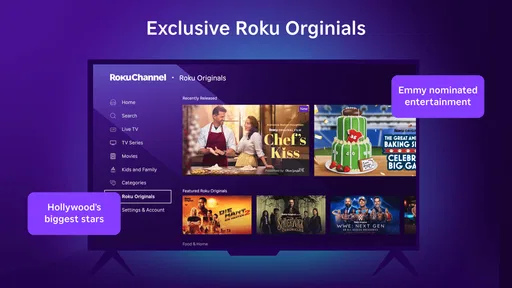
Alright, let's get to the heart of the matter: the content. The Roku Channel has a pretty solid lineup. We're talking everything from Hollywood blockbusters to classic TV shows. There's even a sprinkle of original content, which is always a nice bonus.
One of the things I love is the variety. Whether you're in the mood for a thrilling drama, a laugh-out-loud comedy, or a heartwarming family flick, there’s something here for everyone. And for those of us who can spend more time scrolling than actually watching, the intuitive layout and categories make it super easy to find something that suits your mood.
One practical way I use a service like this is as a “background choice” when I do not want to spend time comparing catalogs. I pick a broad mood or category, settle on something available, and keep the evening low-pressure. That approach plays to the app’s strength: a free mix for casual viewing. It is less suitable when I want to follow a specific new release or avoid interruptions entirely.
Live TV? Yes, Please!
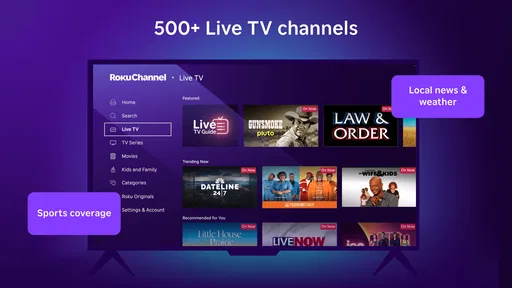
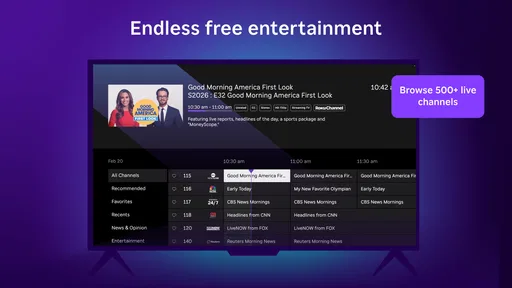
If you're someone who still gets that nostalgic feeling from flipping through live TV channels, you're in luck. The Roku Channel offers a selection of live TV channels. Whether you’re catching up on the latest news or indulging in some reruns of your favorite sitcoms, the live TV feature adds an extra layer of versatility.
The channel lineup includes news, sports, entertainment, and even some niche channels that you might not find elsewhere. It's a great way to have a bit of everything without feeling overwhelmed by too many options.
Live channels also change the way I plan a viewing session. For a quick break, channel browsing can be easier than making a choice from a long film list; for a planned movie night, on-demand browsing is the more sensible route. I treat the two as separate tools rather than expecting live TV to behave like a personal queue of exact episodes.
User Experience and Interface
Now, let's chat about the user experience. As someone who’s not always the most tech-savvy, I appreciate a platform that's easy to navigate. The Roku Channel is pretty straightforward. The interface is clean and intuitive, which means more time watching and less time fumbling around.
Logging in is a breeze, and you can even create a personal account to keep track of your favorite shows and movies. Plus, the streaming quality is generally impressive, even on my not-so-new TV. Just make sure you have a decent internet connection to keep things running smoothly.
For a realistic everyday example, I might open the app after dinner while deciding what everyone wants to watch, then switch from browsing movies to live channels if nobody agrees on a title. That works well when the group is happy to be surprised. If we have limited time and a specific film in mind, I would check for it first rather than assume that free access guarantees it will be there.
Compatibility and Accessibility
One of the standout features of The Roku Channel is its versatility. You can access it on Roku devices, of course, but also on smartphones, tablets, and many smart TVs. This cross-platform compatibility means you can start watching on your TV and continue on your phone when you sneak away for a snack.
For those who need accessibility features, the platform does a decent job with options like closed captioning. It's not perfect, but it's a step in the right direction towards making streaming more inclusive.
In practice, I would check captions on the specific program I am watching rather than assume every title presents them in the same way. This is a small but helpful step if captions are essential for comfortable viewing. Likewise, if a screen is inconvenient for browsing, choosing on the larger TV may be easier, while a phone is handy for a quick personal watch away from the living room.
Final Thoughts
In a world where streaming services seem to multiply faster than I can keep track of, The Roku Channel stands out as a refreshing alternative. It's perfect for those of us who want a diverse range of content without the commitment of a subscription fee.
Sure, like any free service, there are ads, but they’re a small price to pay considering the vast library available at your fingertips. Whether you’re a seasoned streamer or just looking to explore something new, The Roku Channel is definitely worth a look.
So, grab your popcorn, find a comfy spot on the couch, and dive into the world of free streaming. Happy watching!
My practical verdict is that this app is best for people who want an extra, no-subscription place to browse films, series, live programming, sports, and kids’ entertainment. It can fill the gap between paid services or give a household something to put on without committing to another bill. I would skip it as my main option if I need a guaranteed title, uninterrupted viewing, or a catalog built around one particular show; a paid service that suits that specific need is the better choice.
Roku, Inc. and its affiliates are behind the app, and the current version is 2.0.36. I would start with the simplest setup, try both live and on-demand browsing, and see whether the balance of free access and ads suits my routine. For me, its value is not that it replaces every streaming app, but that it gives me another flexible option when I am happy to explore.
Privacy and Permissions
See what permissions an app requests and how it handles your data.
- Location
- approximate location (network-based)
- Photos/Media/Files
- read the contents of your USB storage, modify or delete the contents of your USB storage
- Storage
- read the contents of your USB storage, modify or delete the contents of your USB storage
- Camera
- take pictures and videos
- Microphone
- record audio
- Wi-Fi connection information
- view Wi-Fi connections
- Other
- view network connections, pair with Bluetooth devices, change network connectivity, allow Wi-Fi Multicast reception, connect and disconnect from Wi-Fi, full network access, run at startup, control vibration, prevent device from sleeping, Google Play license check
Verdict
Strengths of The Roku Channel
- Free access to a wide range of content.
- User-friendly interface with easy navigation.
- No subscription required for most content.
- Available on multiple devices, enhancing flexibility.
- Frequent updates with new shows and movies.
Limitations of The Roku Channel
- Contains ads that can interrupt viewing.
- Limited selection compared to other platforms.
- Some content requires a paid subscription.
- Not all content is available in HD quality.
- Geographic restrictions on certain content.
Other Releases by Roku, Inc. & its affiliates
View All
The Roku App (Official)
Entertainment4.7

Roku Smart Home
House & Home4.4
Similar Picks in This Category
View All
Google Play Games
Google LLC3.9

Netflix
Netflix, Inc.4.8

YouTube Kids
Google LLC4.2

Disney+
Disney4.4

Prime Video
Amazon Mobile LLC4.7

Steam
Valve Corporation3.2
Frequently Asked Questions
What is The Roku Channel, and how does it work?
The Roku Channel is a free streaming service available on Roku devices, web browsers, and mobile apps. It offers a wide range of movies, TV shows, news, and live TV. Users can access content without a subscription, but premium channels are available for purchase. The platform is ad-supported, which helps keep the content free for users.
Is The Roku Channel available on all devices?
The Roku Channel is accessible on Roku streaming devices and TVs, as well as through web browsers and the Roku mobile app for iOS and Android. However, some features might vary depending on the platform. It's essential to check device compatibility and software version requirements before downloading to ensure a smooth experience.
Does The Roku Channel require a subscription?
No, The Roku Channel does not require a subscription for its core content. It offers a range of free, ad-supported movies and TV shows. However, users have the option to subscribe to premium channels and services like HBO or Showtime for an additional fee, which can enhance the viewing experience with more exclusive content.
What kind of content can I expect on The Roku Channel?
The Roku Channel offers a diverse array of content, including popular movies, classic TV shows, live news, and kids' programming. In addition, users can access a variety of premium channels and services for a fee. The platform frequently updates its library, providing fresh content and special seasonal programming.
How are ads managed on The Roku Channel?
The Roku Channel is an ad-supported platform, meaning users will encounter ads while streaming free content. Ads are typically placed at intervals during movies and TV shows. The frequency and length of ads are designed to be less intrusive compared to traditional TV, allowing for a more enjoyable viewing experience.
